Delegation
Going on PTO? Set a delegate so deals don’t stall waiting on you. Delegation is self-serve — you set your own, on the My Delegation tab of the Approvals app.
Setting a delegate
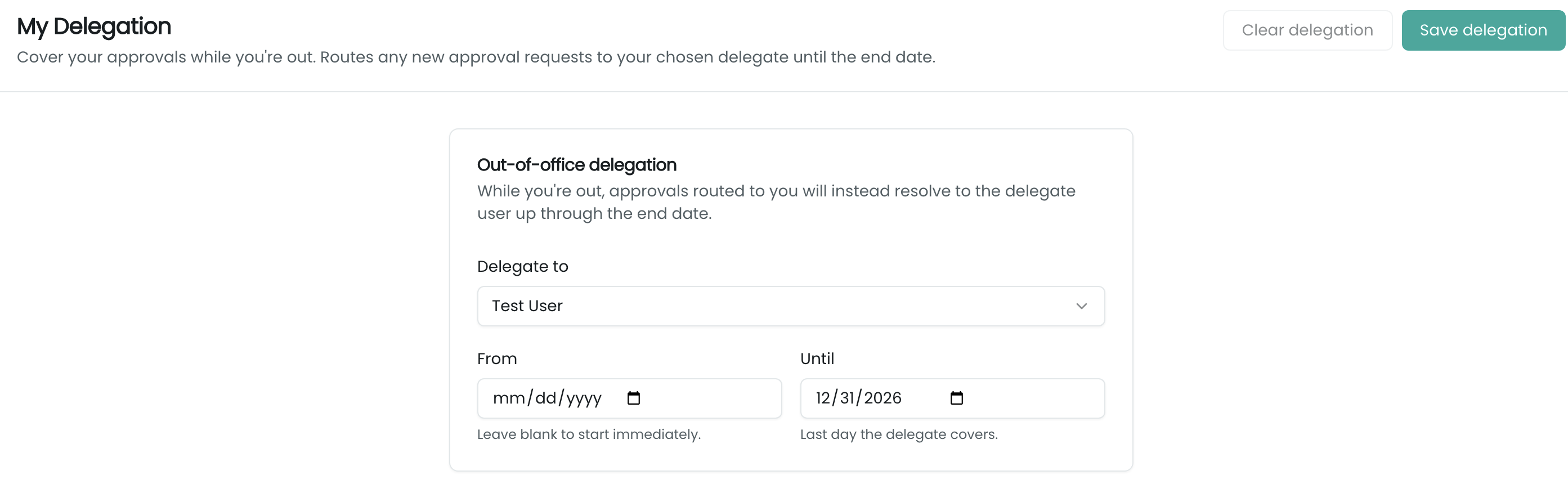
My Delegation shows an Out-of-office delegation form:
- Delegate to — the user who’ll receive your approvals (any active user except yourself).
- From — when delegation starts (“Leave blank to start immediately.”).
- Until — the last day the delegate covers.
Click Save delegation, and you’re covered for that window. Clear delegation ends it early (or just let the window pass).
How it works
Delegation is resolved when a deal is submitted, not when you’d otherwise decide. If, at submit time, you have an active delegate inside the window, the new approval request is assigned to your delegate instead of you — so it shows up in their My Approvals queue, and they decide. You remain recorded as the original approver, so the audit trail is intact.
Related
- My Approvals — where your delegate acts on the requests.
- Overview — how submission resolves approvers (including delegates).
- Approval Rules ▸ Approvers — where approvers (and their delegate windows) are also visible to admins.