Bundle Features
A feature is a named group of options with a selection rule — “pick 1 of these support tiers,” “add up to 3 accessories.” You author features on the Bundling tab; each option is then assigned to a feature (or left Unassigned) in the option editor.
Defining a feature
- Name and Description — the description is surfaced as help text to the rep in the configurator.
- Min Options / Max Options — how many options the rep must / may select from this group. This is the selection gate: Min 1 / Max 1 is “pick exactly one”; Min 0 / Max 3 is “up to three, optional.”
- Display Order — where the feature sits among the bundle’s features.
- Option Selection Method — how the group is presented (below).
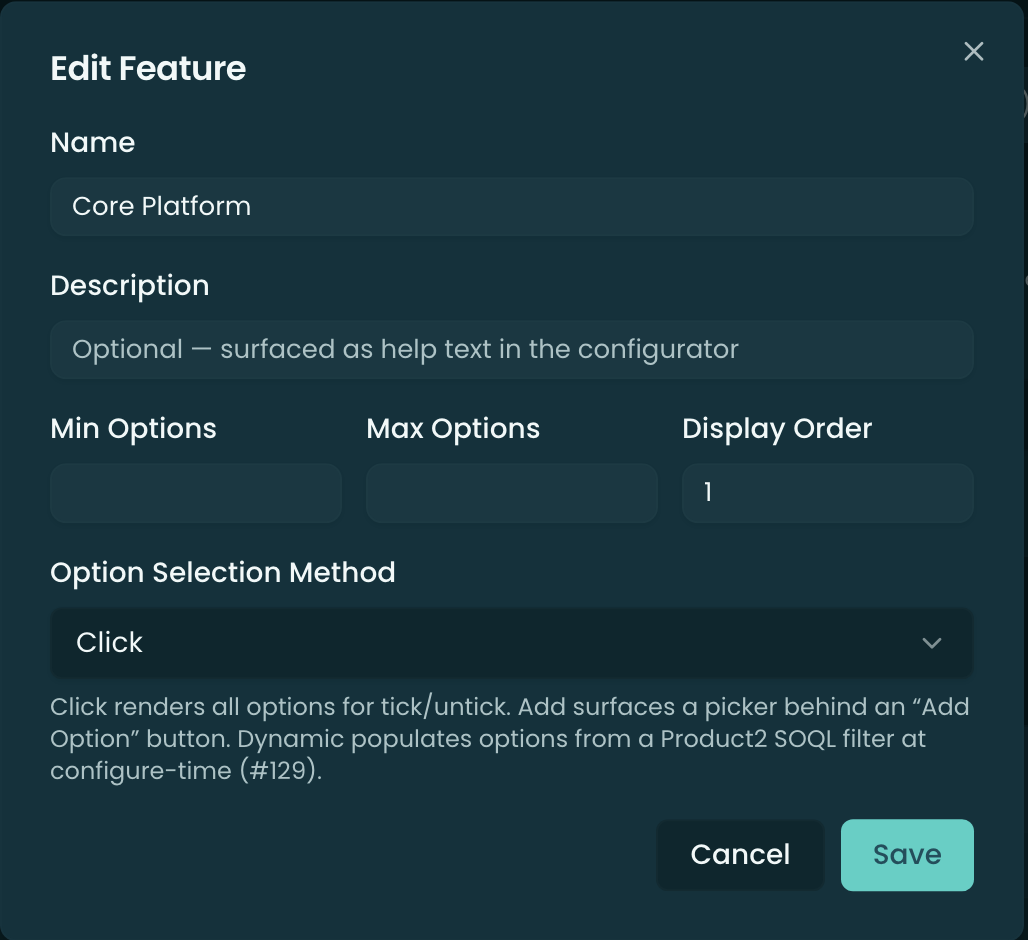
Option Selection Method
- Click — renders all the feature’s options for the rep to tick/untick directly.
- Add — surfaces a picker behind an “Add Option” button, so the options aren’t all shown up front (good for long lists).
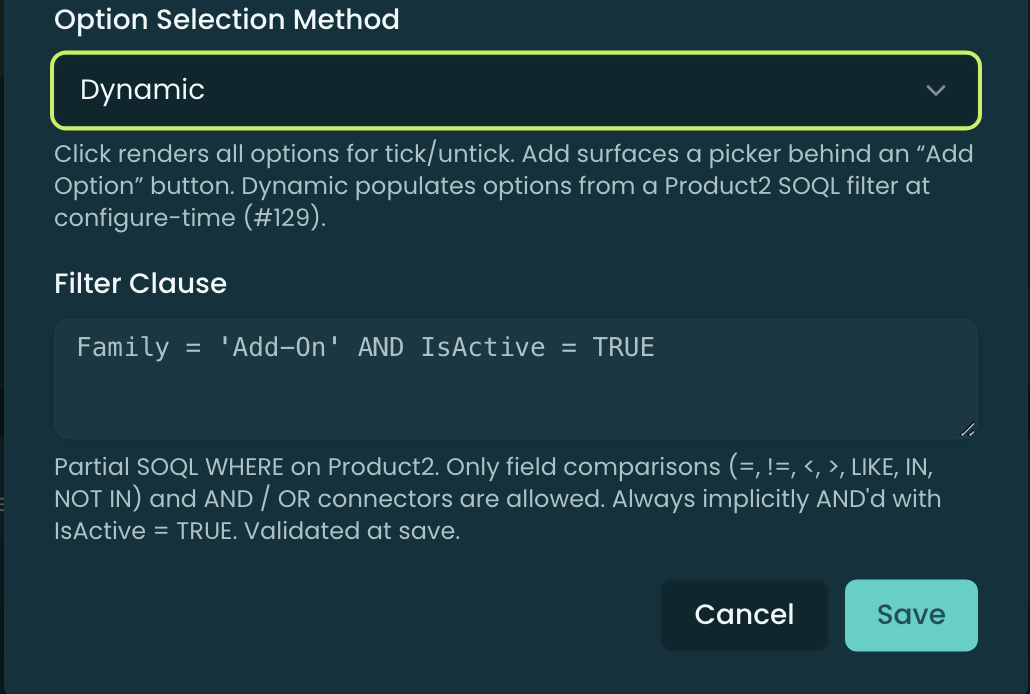
- Dynamic — populates the option set from a Product2 SOQL filter evaluated at configure-time, rather than a fixed list of options. Choosing Dynamic reveals a Filter Clause field.
Dynamic features — the Filter Clause
A Dynamic feature’s Filter Clause is a partial SOQL WHERE on Product2 (e.g. Family = 'Add-On' AND IsActive = TRUE). Only field comparisons (=, !=, <, >, LIKE, IN, NOT IN) and AND / OR connectors are allowed; it’s always implicitly AND’d with IsActive = TRUE, and it’s validated when you save. This lets a feature offer “every active add-on in the catalog” without you hand-listing each option.
Related
- Options — assign options to a feature, and the per-option flags.
- Constraints — dependencies/exclusions between specific options.
- Overview — the bundle as a whole.