Dimensions
Subscription products are sold over a term, and the price often isn’t flat across that term — year two might carry an uplift, the customer might ramp quantity year over year, and a volume discount might apply to the whole commitment or to each year on its own. Dimensions are how you describe that: they slice the term into priced segments, the foundation of MDQ (multi-dimensional quoting).
You manage them in Product Manager: open a Product record, go to the Pricing tab, and select Dimensions.
Adding a dimension
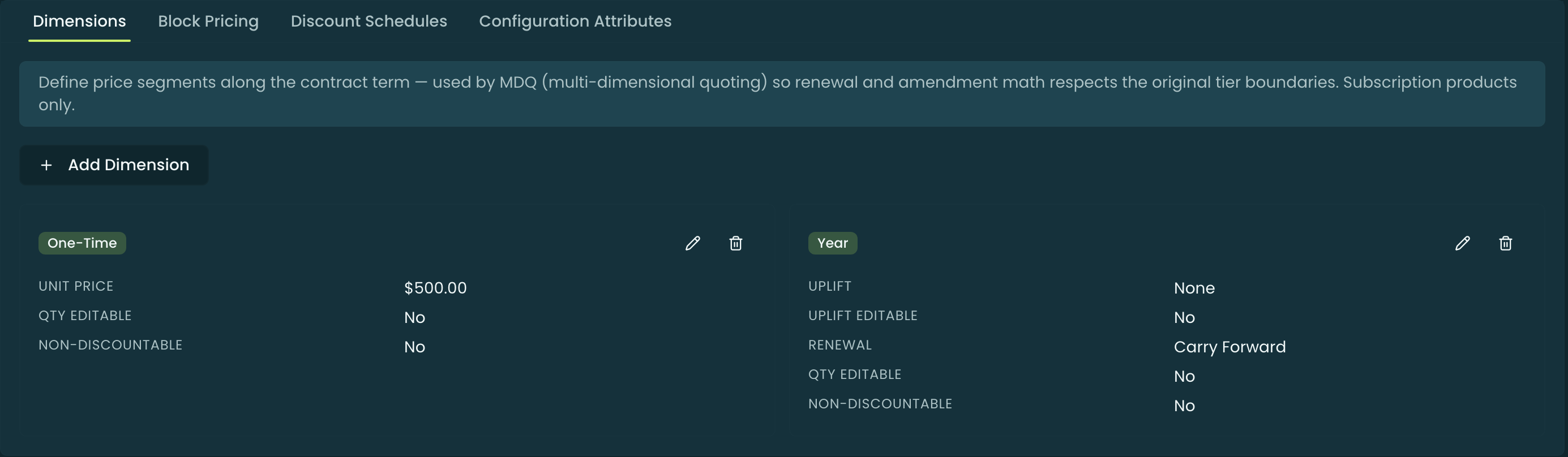
On a subscription product, Add Dimension opens the editor. Existing dimensions show as cards (with their Type, uplift, renewal, and editability at a glance) that you can edit or delete. The first field is always the Type:
- Year, Month, Quarter — time dimensions that auto-activate: the term is divided into segments of that unit (a Year dimension over a 3-year term yields three yearly segments), each priced in turn.
- Custom — uses the same per-segment fields as the time dimensions, but its segments are authored manually rather than auto-generated from the term, and it does not activate (see the callout below).
- One-Time — a single, non-recurring charge that doesn’t segment the term.
The rest of the editor changes based on the type.
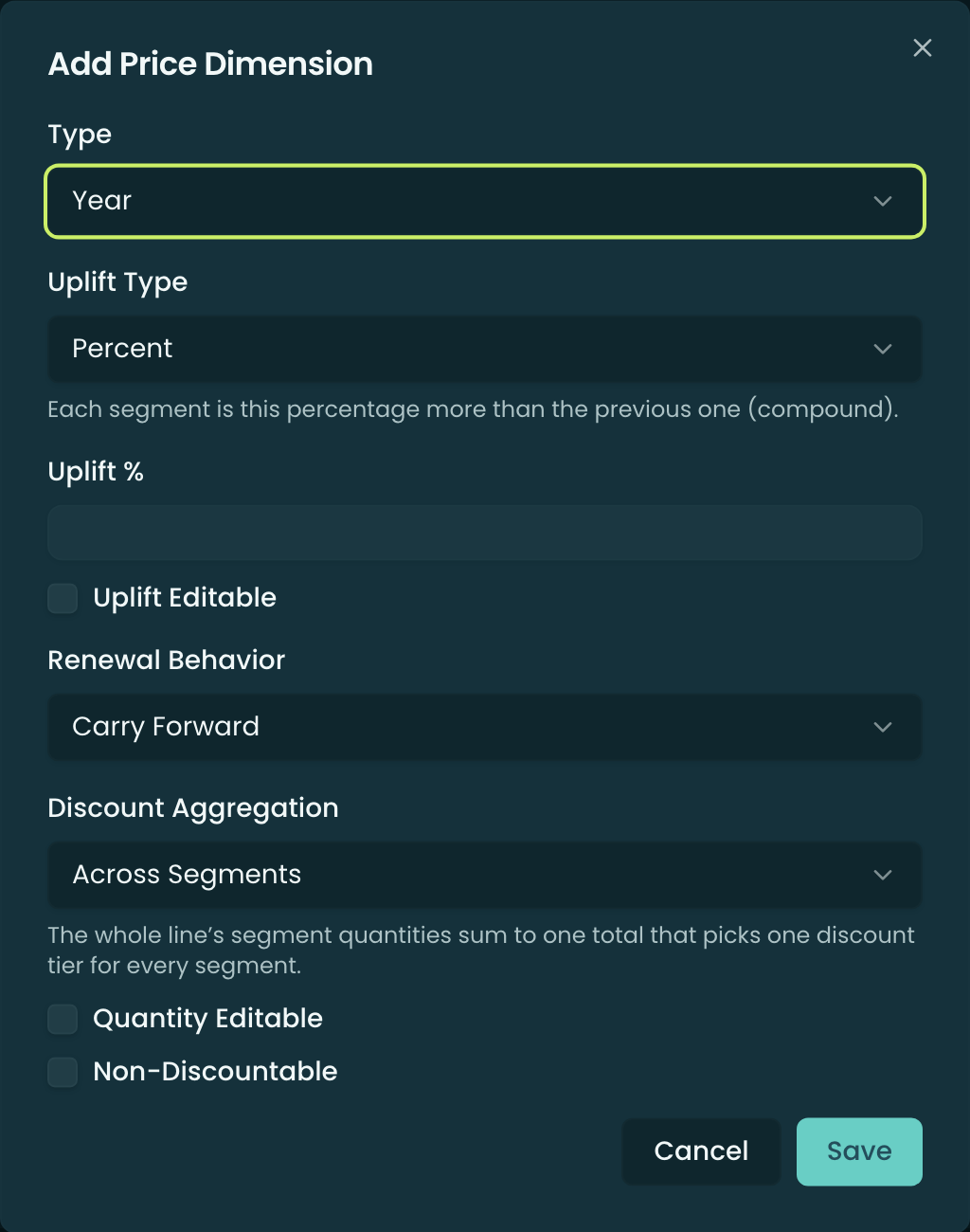
Time dimensions (Year / Month / Quarter / Custom)
A time dimension carries:
- Uplift Type — how the price grows across segments:
- Percent — each segment is that percentage more than the previous one (it compounds down the ramp).
- Amount — each segment adds that flat amount over the base price (linear). The amount is authored in the dimension’s currency and is never auto-converted.
- Uplift % / Uplift Amount — the uplift value (the label follows the Uplift Type).
- Uplift Editable — when on, a rep can change the uplift on the line at quote time; otherwise it’s fixed.
- Renewal Behavior — what happens when the subscription renews:
- Carry Forward — the renewal continues from where the ramp left off.
- Re-generate — the ramp is rebuilt fresh on the renewal.
- Discount Aggregation — how segment quantities pick a Volume Discount tier:
- Across Segments (default) — every segment’s quantity sums to one total that picks one tier for the whole line. A ramp is treated as a single commitment.
- Per-Segment — each segment’s own quantity picks its own tier.
- Quantity Editable — whether the rep can edit the per-segment quantity.
- Non-Discountable — when on, the dimension’s price is excluded from discounting.
One-Time dimensions
A One-Time dimension is just a Unit Price — a single non-recurring charge (setup fee, one-off services). It has no uplift, renewal behavior, or discount aggregation; the Quantity Editable and Non-Discountable flags still apply.
Multi-currency
In a multi-currency org the editor adds a Currency picker, and each currency has its own dimension. At quote time the resolver picks the dimension row whose currency matches the line. (Single-currency orgs don’t see the picker.)
How dimensions show up at quote time
When a rep adds a dimensioned subscription product, the configurator renders the line as a segment grid — one column per segment (Year 1, Year 2, …), each with its own Start/End, Quantity, List price, Uplift, Unit Price, discount, and Total. The uplift you set walks the unit price down the ramp; the editability flags decide which cells the rep can touch; and Discount Aggregation decides whether one volume tier covers the whole ramp or each segment is tiered on its own. See Configurator — Building a Quote for the rep-facing walkthrough and Pricing Methods — MDQ for how each segment’s price is computed.
The Quantity a rep enters per segment is the quantity for a full period. Where a segment covers only part of one — the term didn’t divide evenly, a co-term truncated the last segment, or an amendment split the segment it landed in — that quantity is prorated to the segment’s actual share, so the billable quantity is frequently fractional. Pinion shows it at the precision it bills at, up to four decimals with trailing zeros trimmed. That is expected output, not a rounding fault; see MDQ — Segment Pricing.
Related
- Segment Templates — reusable ramp shapes (per-segment quantity / uplift / discount) matched to a product by dimension type and segment count, so a rep can apply a consistent ramp in one click.
- Discount Schedules — the Volume Discount tiers that Discount Aggregation selects from.
- Pricing Methods — how MDQ segment unit prices, uplift, and discounts actually compute.
- Configuration Attributes — attributes can be dimensionally variable (a value per segment).