Generating a Quote
Designing templates is admin work; generating the document is the rep’s. The main place to do it is the configurator’s Quote tab — the third tab after Configure and Price — which shows a live PDF preview of the quote alongside the controls to render and watermark it.
The Quote tab
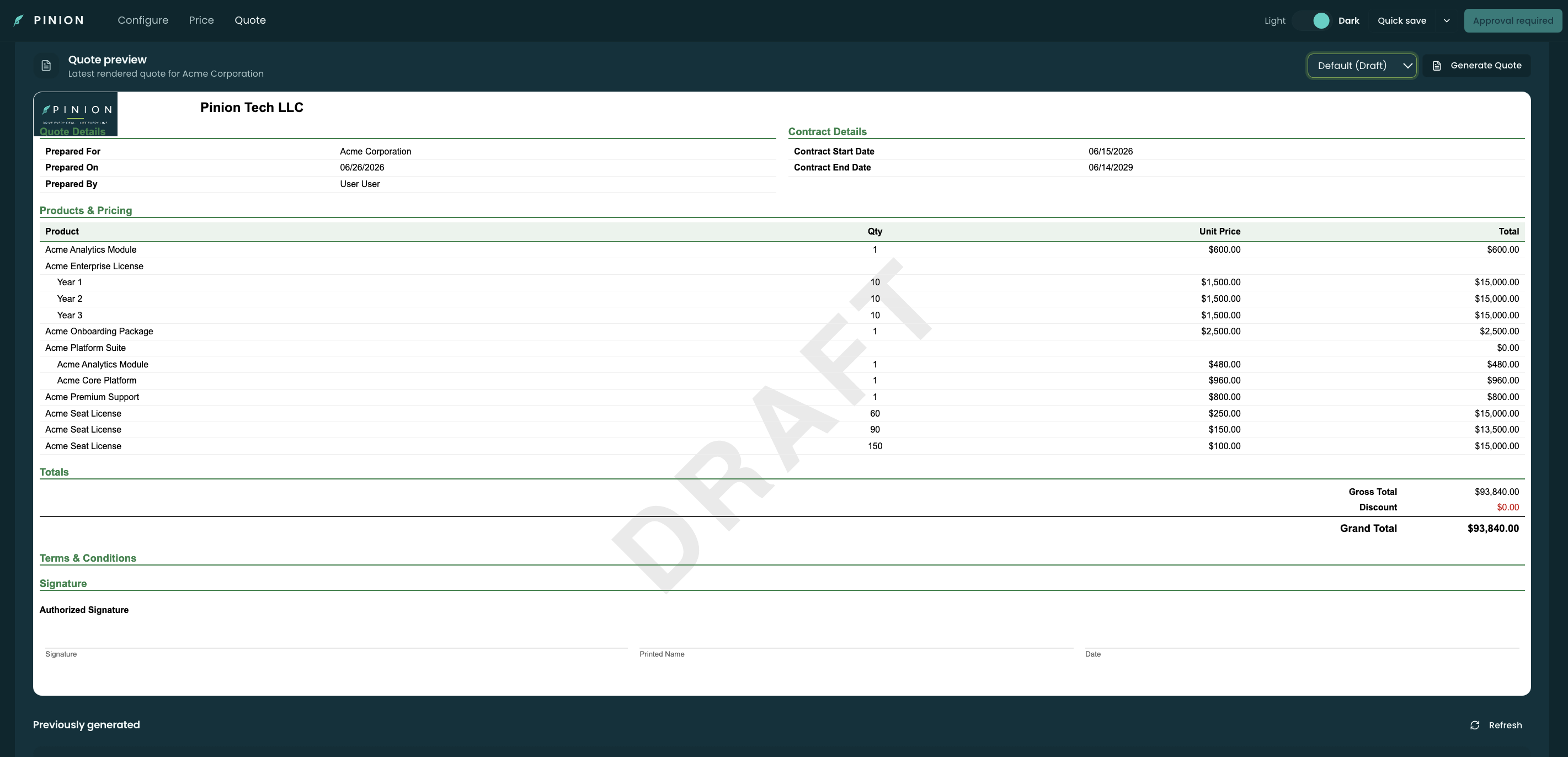
The Quote tab renders the chosen template against the deal’s live data as a live preview (labelled “Quote preview — latest rendered quote for <Account>”), with a toolbar above it:
- a watermark picker (e.g. Default (Draft)) — its choice shows right in the preview, and
- a Generate Quote button.
A Previously generated list sits at the bottom (with a Refresh), so you can see the documents already produced for this deal.
Preview vs. generate — the synced gate
There’s a deliberate split between previewing and generating:
- The preview always renders, so you can see how the document looks while you’re still shaping the deal.
- Generating the actual document requires a saved and synced configuration. Until the configuration is synced (Accepted), Generate Quote is disabled with “Sync this configuration to generate” — and the watermark can’t be removed (it stays a draft). This guarantees the rendered PDF reflects the line items that are actually on the record.
Choosing a template and watermark
Generate Quote opens a Choose a template menu listing the org’s active templates (the org default is marked with a ★). Pick one to render it. The preview itself reflects the template routed to this deal by Account / Pricebook, falling back to the default.
The watermark picker marks a not-yet-final document — e.g. Draft — without touching the template. Removing the watermark (for a clean final document) is only allowed once the configuration is synced.
What a generated document is
When you generate:
- Template — the one you picked (or the routed default).
- Locale — if a translation matches the document’s locale, its translated text is used.
- Render — the template renders to a PDF and is attached to the record as a Generated Quote, carrying your watermark choice.
Each generation is its own Generated Quote record with a render status (pending → complete, or failed with a reason), so you keep a history of what was produced and can re-generate when the deal changes.
Also from Product Display
The same Generate Quote action is available in Product Display, opened from the record’s Product Display panel (Open Product Display — a new tab on the current release) — same templates, same watermark, same synced gate (the two surfaces are parity-locked). Use whichever you’re already in.

Related
- Quote Templates — what the rendered document is built from.
- Template Routing — how the preview/default template is chosen.
- Translations — how the locale is applied.
- Configurator — Building a Quote — configuring and syncing the deal before generating.