Discount Schedules
A Discount Schedule is a reusable set of volume-discount tiers — buy more, save more — applied automatically based on a line’s quantity (or, optionally, its total amount, term, or a custom field). Define a schedule once and reference it from many products; at pricing time Pinion resolves the matching tier and applies the discount.
They’re org-wide, so you manage them in the Pinion admin app → Discount Schedules (/lwr/application/ai/c-pinionAdmin), not on an individual product. The list shows each schedule’s Type, Unit, Scope, tier count, and an Active toggle, with search + scope/active filters.
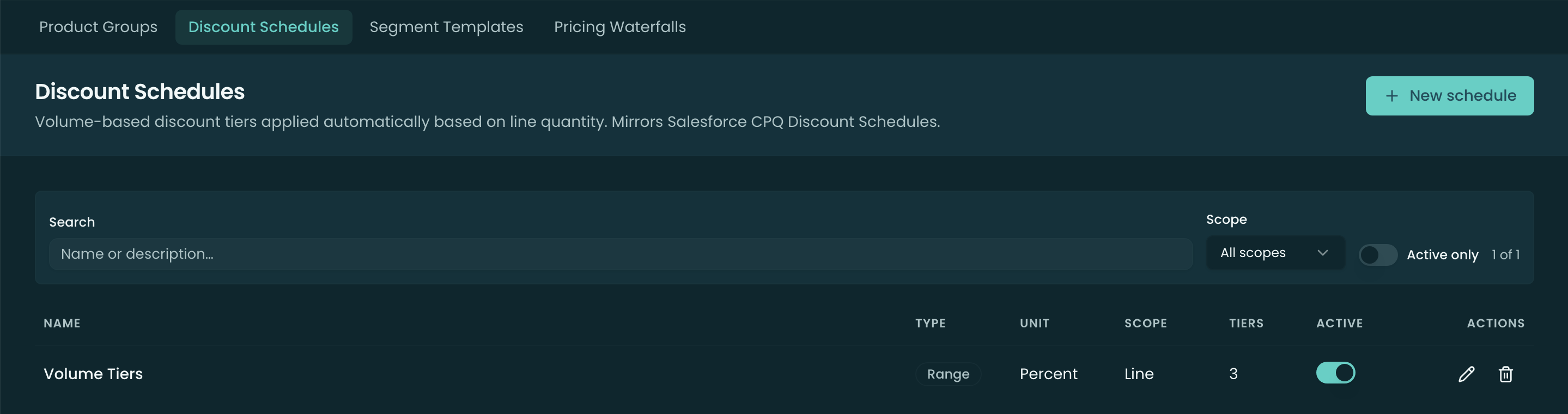
Creating a schedule
New schedule opens the editor. The header fields:
- Name and Description.
- Type — how the matched tier applies to the quantity. These follow the Salesforce CPQ convention:
- Slab (graduated) — each tier’s discount applies only to its own band, like tax brackets — the first units are discounted at tier 1, the next band at tier 2, and so on, then weighted-averaged into one per-unit price.
- Range (volume) — the single tier the total quantity lands in discounts every unit. (Land in the 11–50 tier and all units get that tier’s discount.)
- Discount Unit — Percent (% off) or Amount (flat amount off).
- Aggregation Scope — what quantity is summed to pick the tier: Line (this line alone), Group (the line’s group), or Quote (the whole quote). Quote/Group scope is how “total across the deal earns a better tier” works.
- Scheduling Method — what resolves the tier: Quantity, Total Amount, Term (months), or Custom Field. Choosing Custom Field adds a Custom Field API Name input (a numeric field on the line item, e.g.
SeatCount__c). - Active — inactive schedules stop resolving without being deleted.
- Start Date / End Date — an optional effective-date window; outside it, the schedule doesn’t apply.
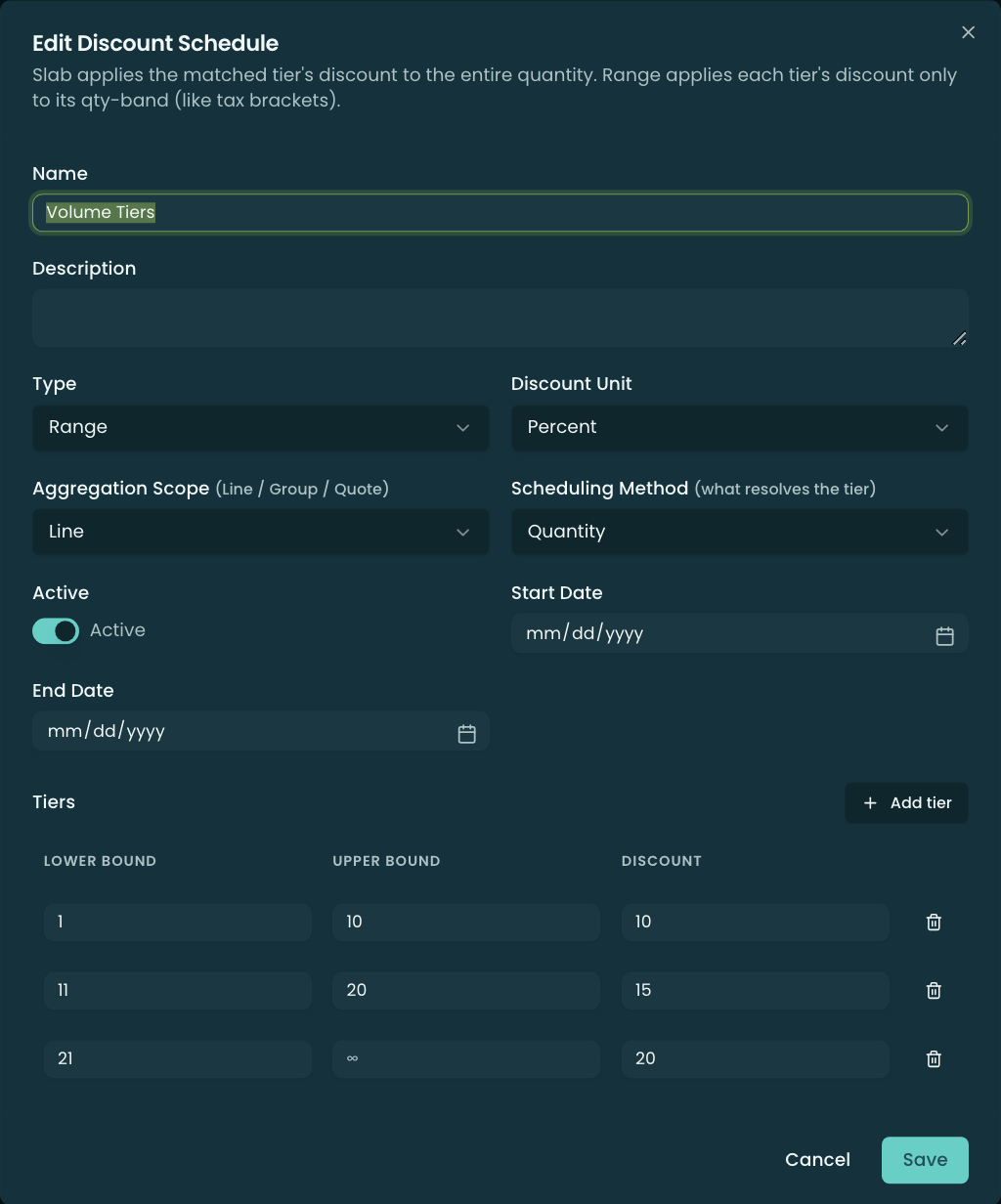
Tiers
Below the header is the Tiers table — each tier is a Lower Bound, Upper Bound (leave blank for ∞ on the open-ended top tier), and a Discount (in the schedule’s unit). Add tier appends a row starting just above the previous tier’s upper bound.
Where schedules apply
A schedule on its own does nothing until it’s referenced. Schedules attach to products, accounts (an account-default schedule), and pricebooks, and the resolver picks the applicable one at pricing time. The editor surfaces an “In use by N products / M accounts” banner when you edit a referenced schedule.
Discount Schedules and MDQ
For dimensioned (MDQ) products, a dimension’s Discount Aggregation setting decides how segment quantities feed the schedule: Across Segments sums every segment into one total that picks one tier for the whole ramp (a ramp is one commitment), while Per-Segment lets each segment’s own quantity pick its own tier. That setting and a schedule’s own Aggregation Scope work together to decide the tier.
Related
- Dimensions — the Discount Aggregation setting that pairs with these schedules on MDQ products.
- Block Pricing — fixed unit price per band (the price-side counterpart to volume discounting).
- Pricing Methods — where volume discounts sit in the waterfall.