Quoting a Metered Deal
A metered product quotes a little differently from a flat product: alongside its committed base price, the configurator shows how consumption above the included entitlement would be priced, so the rep can size the deal. The quote document then prints the agreed rate card as a terms section.
The Usage & overage panel
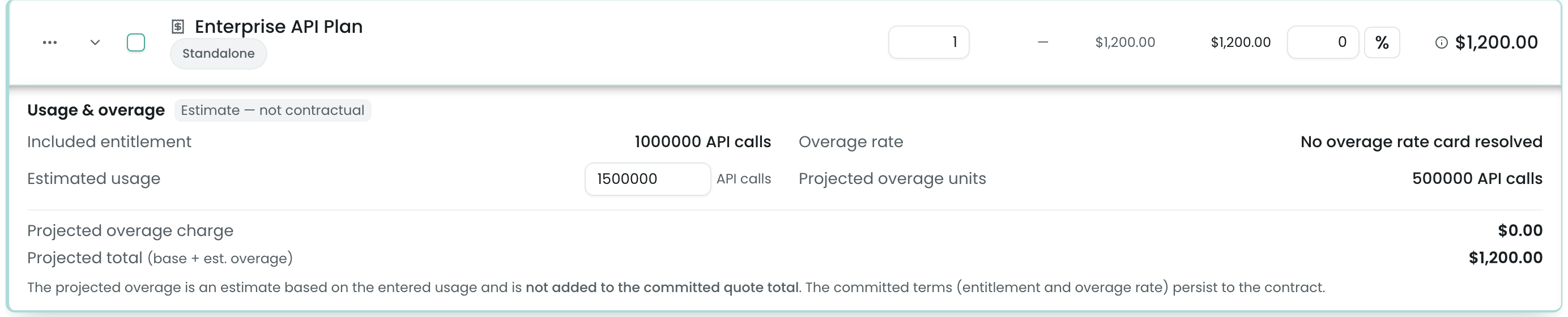
When a rep adds a metered product to a quote or opportunity, the line expands to a Usage & overage panel:
- Included entitlement and unit of measure — read-only, from the product’s usage dimension (e.g. “1,000,000 API calls”).
- Overage rate — read-only, resolved from the rate card. A flat card shows a single per-unit price; a graduated card shows the tier count (e.g. “2 graduated tiers”). When a multi-tier card is on volume pricing, a mode badge (
Slab (graduated)/Range (volume)) shows which model applies. - Estimated usage — an editable input where the rep types projected consumption for the period.
- Projected overage and Projected total (base subscription + projected overage) — recomputed live as the rep types.
Editable overrides
If the usage dimension marks entitlement or overage rate editable on quote, the rep can override that term on the line, and the projection recomputes against the override. On a non-editable dimension the terms are read-only, and any stray posted override is grounded back to the catalog definition on save. Either way the server validates the terms before persisting (see tamper protection).
What persists
On Save & Sync, Pinion resolves the trusted entitlement and rate card server-side and stamps the usage terms onto the line — UsageEntitlement__c, UsageUnitOfMeasure__c, OverageRate__c, and the derived ProjectedOverage__c. The rep only ever supplies the product and the estimated usage; everything else is server-resolved, and the projected overage the rep saw equals the persisted ProjectedOverage__c to the cent. (See Line Item Fields for the stamped fields.)
Per-segment overage on a multi-year line
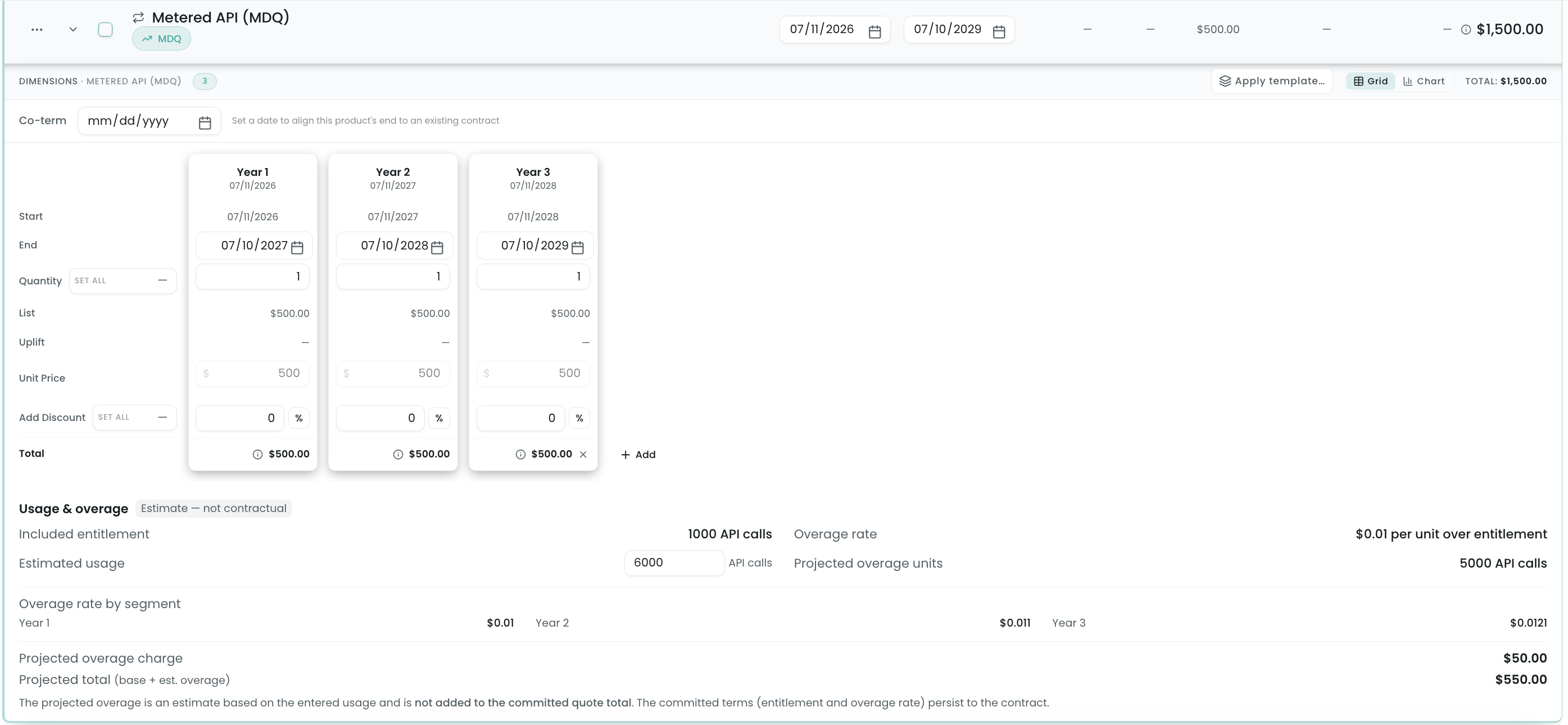
On a multi-year MDQ subscription, a metered line’s overage rate can ramp per segment — the same year-over-year progression the base price follows (e.g. 10% each year). When it does, the Usage & overage panel adds an Overage rate by segment breakdown so the rep can see each year’s rate, and the projected overage is computed against the ramped rates rather than a single flat rate.
The Usage Rate Card document section
The Usage Rate Card is a quote/proposal document-template section that prints the contractual rate card for each metered product on the deal. It’s a terms surface — it shows the agreed rate card; it does not restate the configurator’s projected overage.
Adding it to a template
- In the pinionAdmin app, open Quote Templates and edit a template.
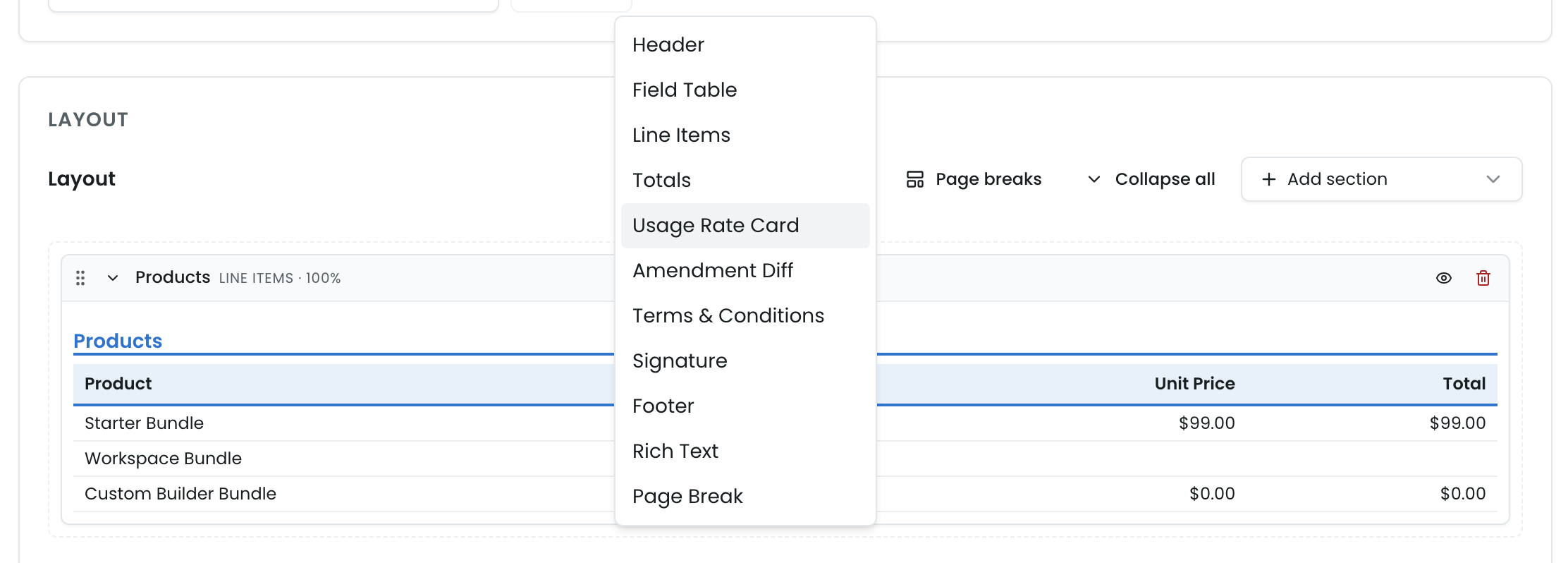
- In the editor’s Add Section palette, pick Usage Rate Card. It sits alongside Line Items and Totals.
- There’s nothing to configure — the section reads the persisted catalog and line data at render time; its config panel shows an explanatory note.
- Save and publish the template.
What it renders
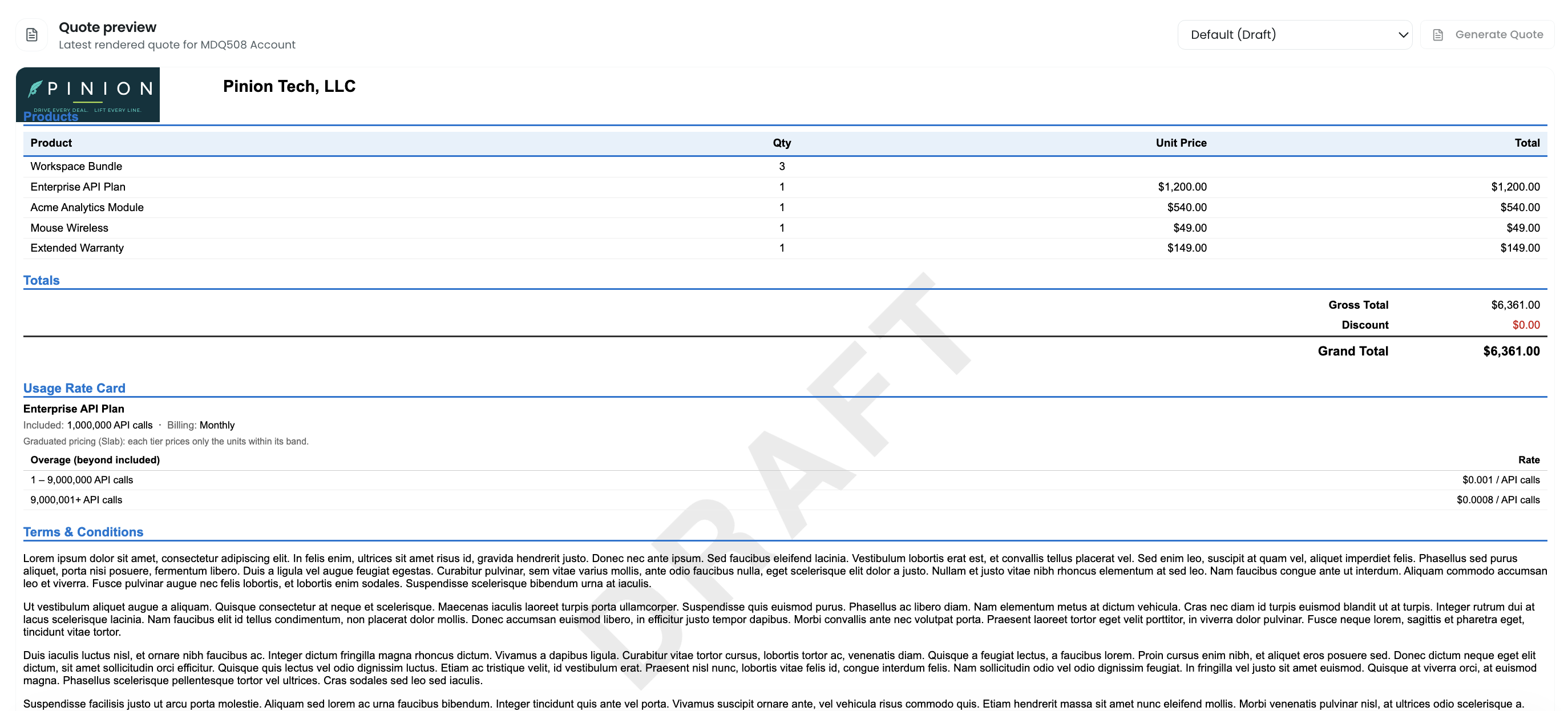
For each metered product on the deal, the section prints:
- The product name.
- A terms line:
Included: <entitlement> <unit> · Billing: <cadence>— e.g.Included: 1,000,000 API calls · Billing: Monthly. - A graduated overage table: one row per tier of the current effective rate card, showing the overage band (units beyond the included entitlement) and the per-unit rate — e.g.
1 – 1,000,000 API calls → $0.001and1,000,001+ API calls → $0.00075.
Sub-cent rates render at full precision ($0.001, $0.00075) — they are not rounded to $0.00. On a deal with no metered product, the section renders nothing, so it’s safe to leave on a shared template.
Related
- Pricing Methods → Usage & Metered Billing — how the entitlement, overage, and pricing model compose.
- Catalog & Pricing Setup → Usage Rate Cards — authoring the usage dimension and overage tiers.
- Configurator → Building a Quote — the configurator workflow, including MDQ segments and metered lines.
- Catalog & Pricing Setup → Block Pricing — the same Slab (graduated) / Range (volume) aggregation choice applied to fixed per-band prices.
- Quoting → Quote Templates — the template editor the Usage Rate Card section lives in.
- Reference → Line Item Fields — the usage fields stamped on the saved line.