Pricing Waterfalls
Every line’s price is the result of an ordered sequence of steps — start from the list price, override with a contracted price, apply volume and term discounts, mark up, clamp to a floor or ceiling, and so on. That sequence is the Pricing Waterfall, and it’s exactly what the configurator’s “Why this price?” trace replays step by step. Pinion ships a packaged Default waterfall that reproduces its built-in pricing order; on Pinion+ you can clone it and author your own.
They’re org-wide, managed in the Pinion admin app → Pricing Waterfalls (/lwr/application/ai/c-pinionAdmin).
The list and the locked Default
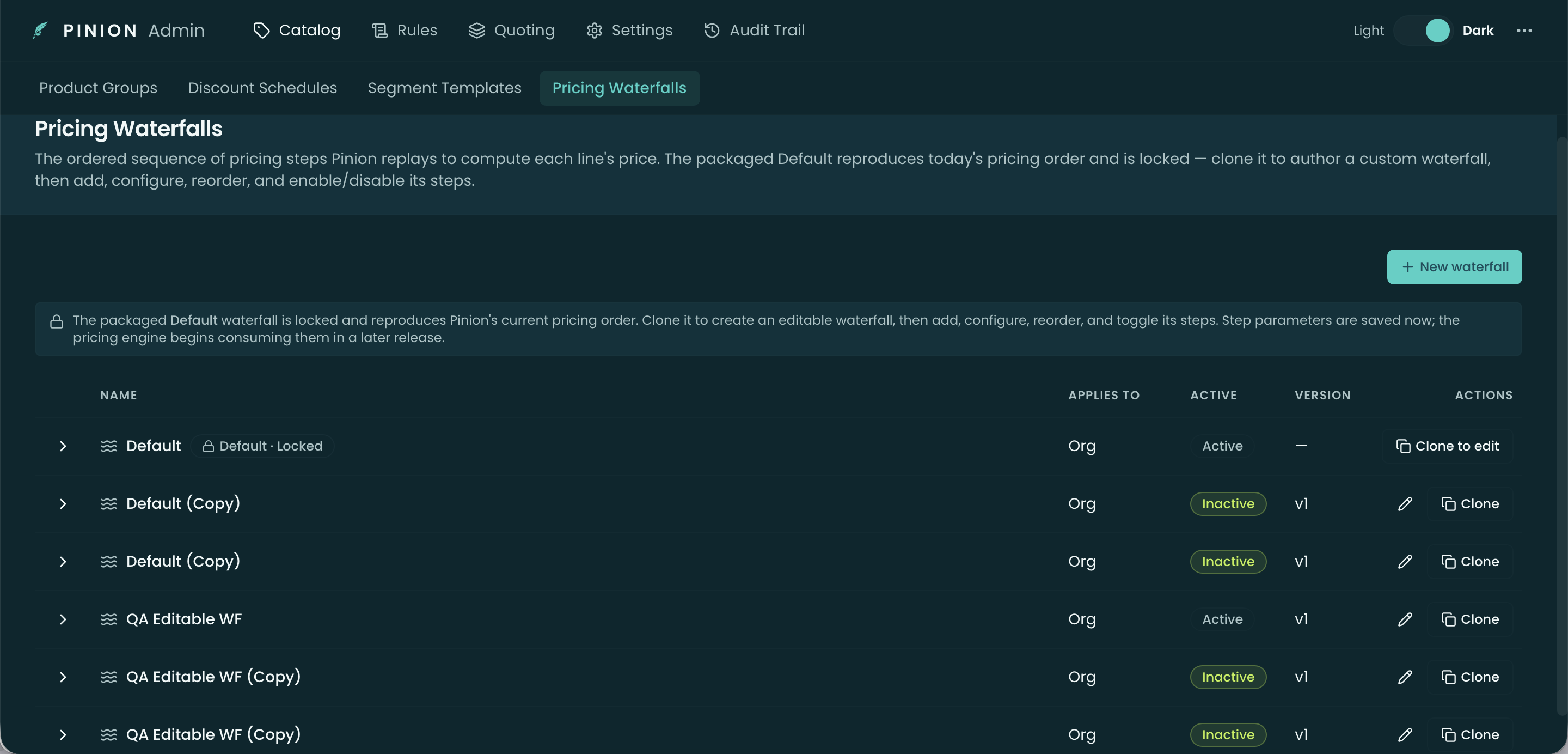
The list shows each waterfall’s Name, Applies To, Active state, and Version. The packaged Default carries a “Default · Locked” badge — it reproduces Pinion’s current pricing order and can’t be edited. Use Clone to edit to produce an editable copy; New waterfall (Pinion+) starts one from scratch.
Anatomy of a waterfall
Expand a row to see its two sections.
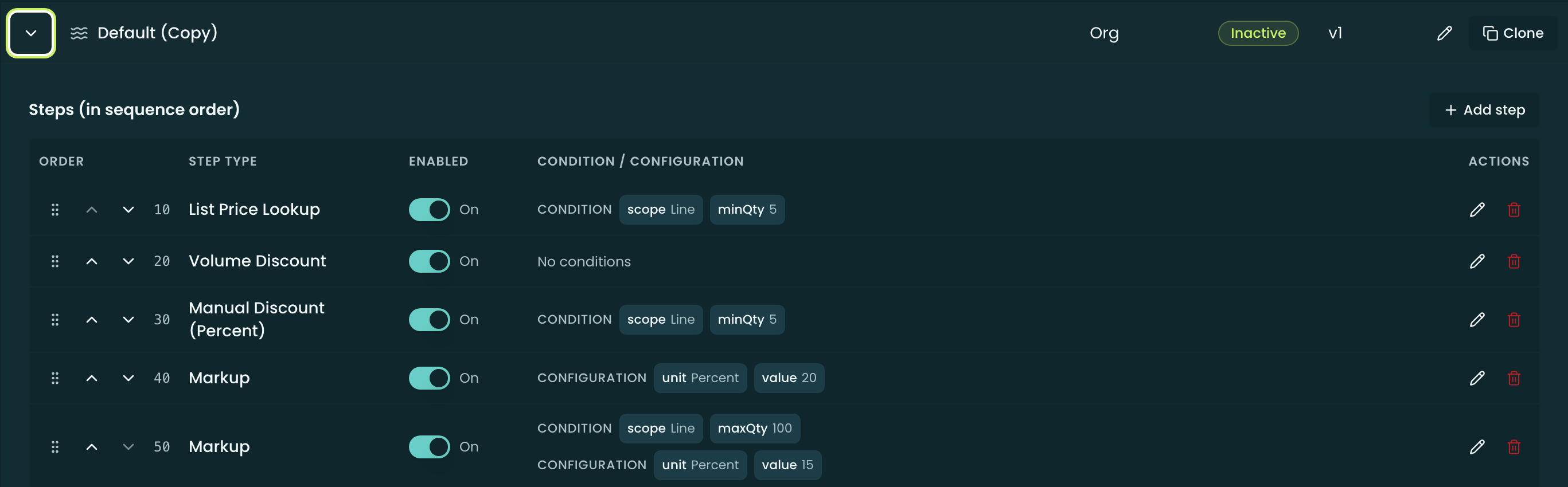
Steps (in sequence order)
The ordered steps Pinion runs. On an editable (cloned) waterfall you can drag (or use the up/down arrows) to reorder, toggle a step on/off, add, configure, and delete steps; on the locked Default these controls are disabled. Each step has a Step Type, an Enabled toggle, and an optional Condition / Configuration. The thirteen step types:
| Step type | What it does | Parameters |
|---|---|---|
| List Price Lookup | Seeds the running price from the pricebook list price | none (context) |
| Contract Price Override | Overrides with a contracted price when one applies | none (context) |
| Block Price Lookup | Seeds from the matching block-price tier | none (context) |
| Volume Discount | Applies the discount schedule for the quantity | none (context) |
| Term Discount | Applies the term-length discount schedule | none (context) |
| Manual Discount (Percent) | Applies the line’s manually-entered % discount | none (context) |
| Manual Discount (Amount) | Applies the line’s manually-entered amount discount | none (context) |
| Markup | Marks the running price up | Percent or Amount + value |
| Promo Code | Applies the deal’s promo-code discount | none (resolved at runtime) |
| Pricing Rule Hook | Runs the configured Pricing Rules at this point | none (authored on the Pricing Rules tab) |
| Floor | Clamps so the price never falls below an amount | amount |
| Ceiling | Clamps so the price never rises above an amount | amount |
| Approval Gate | Flags the line for approval when price breaches policy | none (rules on the Approvals tab) |
Steps that take parameters (Floor, Ceiling, Markup) open a small editor; the rest read entirely from line/segment context. A step can also carry a Condition — always run (default), run only when quantity is ≥/≤ a threshold (Line or Segment scope), or a Custom JSON predicate. If a Ceiling is set below a Floor, the panel shows a warning (it warns rather than blocks).
Applicability — which lines this waterfall prices
The rules that route lines to this waterfall: each has a Priority, Name, and optional Account Type, Industry, Region, and Currency match (blank = Any). With no rules, the locked Default acts as the org-wide fallback, while an editable waterfall is selected only by explicit per-record assignment until you add a rule.
Related
- Pricing Methods — what each step (List, Block, MDQ, discounts, contracted, promo, Percent-of-Total) actually computes.
- Configurator — Rule Transparency — the rep-facing “Why this price?” waterfall trace.
- Block Pricing · Discount Schedules — inputs several steps read.