The Configurator
The Configurator is where a rep builds a deal. It takes an Opportunity (or a Quote) and turns it into a priced, rule-checked set of line items — bundles, options, multi-year subscriptions and all — then lets you generate the quote document from the result. It opens as a focused, full-screen workspace with three tabs:
- Configure — pick products from a rule-filtered catalog and build out bundles, options, segments, and attributes.
- Price — the line editor: quantities, prices, discounts, and terms, with live rule feedback and a “Why this price?” breakdown on every line.
- Quote — preview the generated quote and produce a document.
This page covers how to open the Configurator and what you see when it loads. The two tabs where the real work happens are documented in Building a Quote; the rule badges, locks, and price explanations that appear throughout are catalogued in Rule Transparency.
Launching the Configurator
Open the Configurator from the record you’re quoting — an Opportunity or a Quote — using the Pinion configurator quick action (the Configure Products action on the record). It opens in a new browser tab as a dedicated workspace, so your record page stays where it is.
Whether the Configurator works against Opportunities or Quotes is set once by your admin (the package is object-agnostic); the rep experience is identical either way. If a record is opened in the wrong mode for your org’s setting, the Configurator tells you with a banner instead of loading the wrong data.
First-time setup
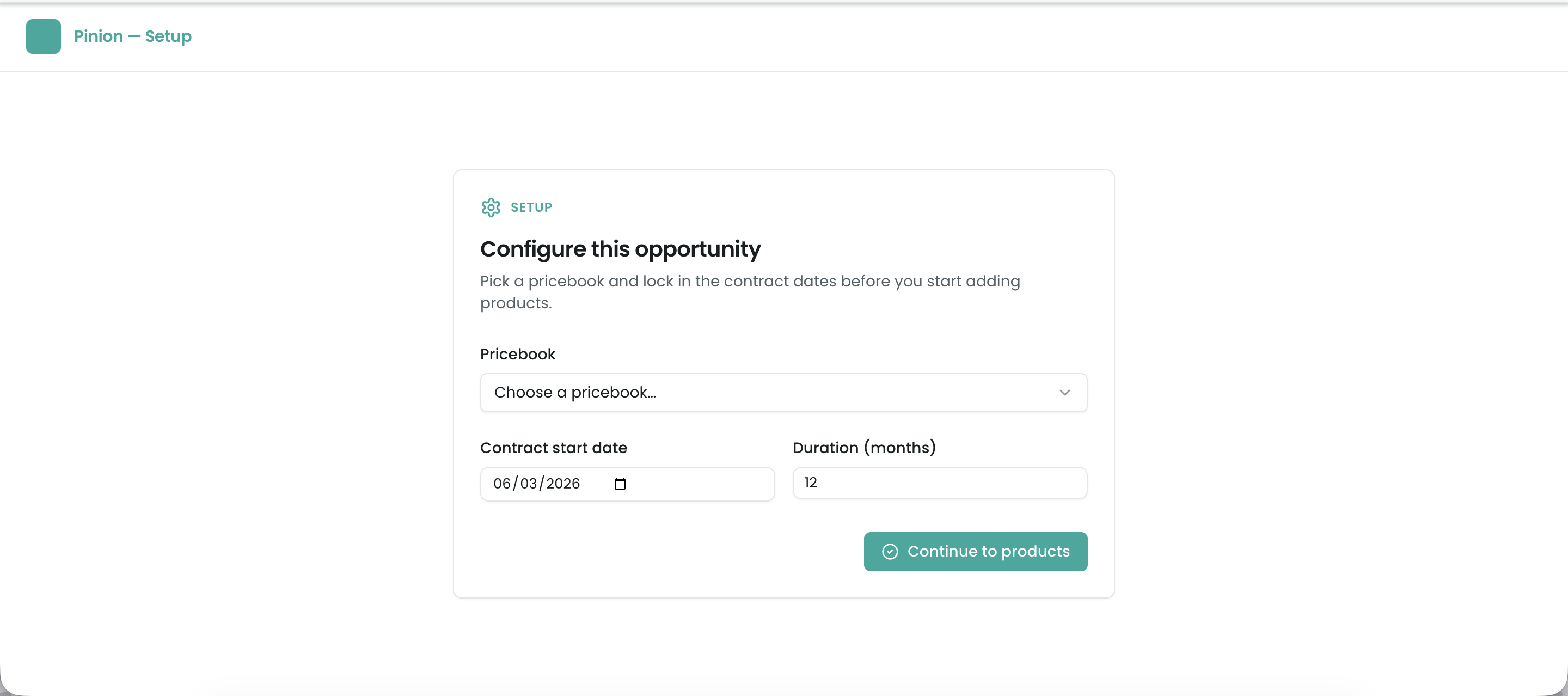
If the record doesn’t have a price book and contract dates yet, the Configurator opens on a short Setup step:
- Price book — which catalog and price list this deal draws from.
- Contract start date and term — the start date and the length of the contract in whole months. Together they are the contract window: they frame every price and term in the session (and drive multi-year/MDQ segmentation).
Set these once and you’re taken into the three-tab workspace. On later launches the Configurator skips Setup and opens straight into your saved configuration.
The contract window: start date + term
The contract window is always the start date plus the term (in whole months). The Contract End Date is calculated from them and can’t be typed in: a 36-month contract starting 25 Sep 2026 ends 24 Sep 2029 (or 25 Sep 2029 if your admin stores the anniversary date instead; see Lifecycle defaults).
- To change the length of a deal, change Contract Term (Months) in the record header above the line editor and click Save. The End Date updates as you type, and multi-year (MDQ) grids regenerate for the new term.
- To move the whole contract, change the Contract Start Date. The term stays the same and the End Date moves with it.
- The same rule applies on the Opportunity or Quote record page. If you edit the End Date there on its own, the save is refused with a message telling you to change the term or the start date instead.
One window feeds everything: every subscription line’s quantity, multi-year segments, the contract created when the deal closes, and its renewals and amendments.
What you’ll see
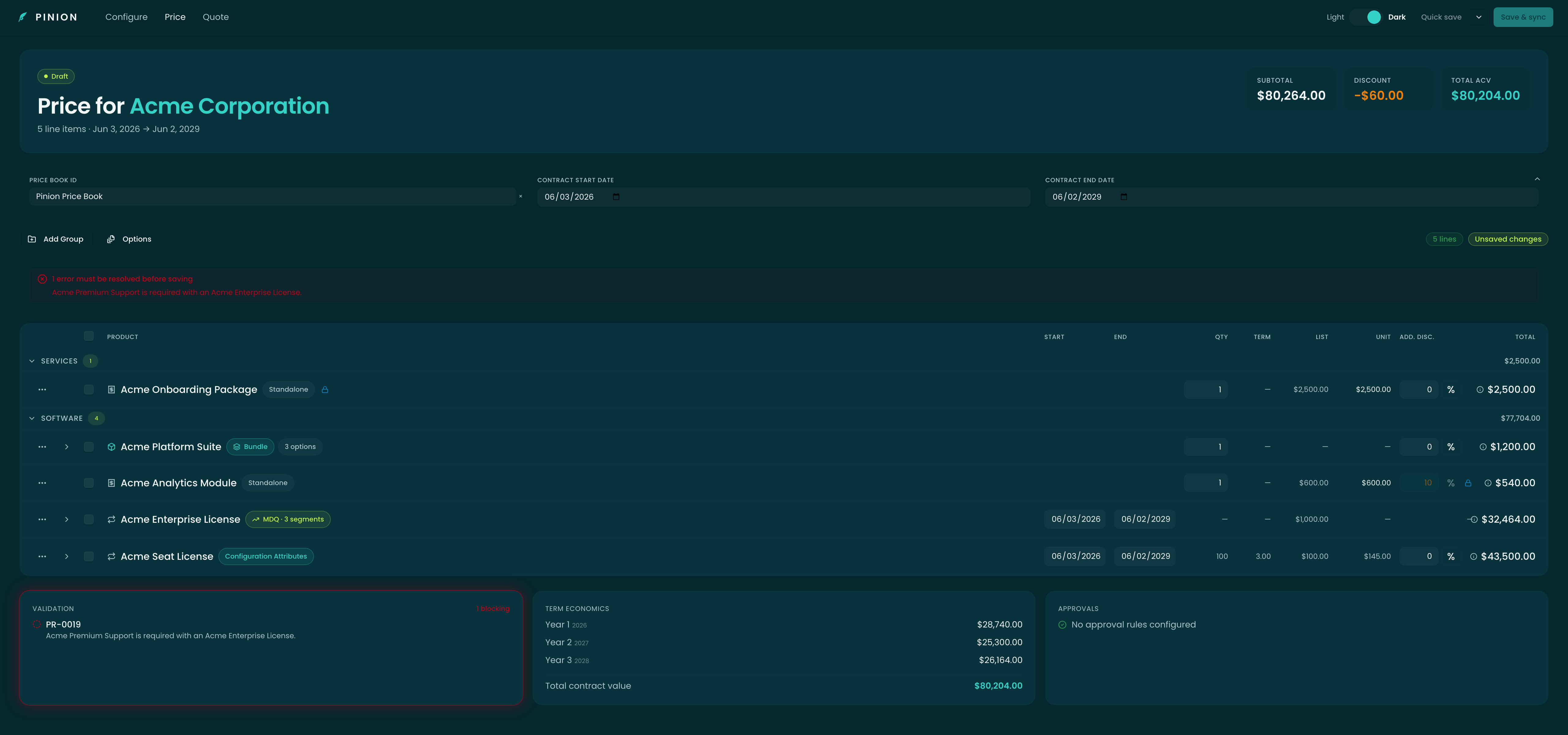
Once you’re in, the workspace has three parts:
- The tab bar — Configure · Price · Quote, top of the workspace. You move freely between them; your selections are shared, so switching tabs never loses work.
- The line workspace — the catalog (Configure) or the priced line editor (Price) fills the main area.
- The summary sidebar / header — your price book, contract start date, term and calculated end date, and a running grand total that updates as you build.
Special launch states
A few situations surface as a banner or dialog when the Configurator opens, before you reach the tabs:
- Cross-currency reconciliation — on a renewal or amendment whose currency differs from the original contract, you’re asked to choose how to convert (an FX strategy) before continuing. This can’t be skipped, because it determines every converted price.
- Launch warning — a non-blocking heads-up above the grid (for example, a bundle configured to require at least one option but with none defined). You can keep working; it’s a flag for your admin.
- Launch error — a blocking card (for example, a record opened in the wrong object mode). It explains what’s wrong and how to relaunch correctly.
Related
- Building a Quote — the Configure and Price tabs: picking products, bundles, MDQ segments, attributes, editing the priced grid, and Save & sync vs. Quick save.
- Rule Transparency — every rule-driven badge, lock, suggestion, hidden-product chip, and the “Why this price?” breakdown.
- Quoting — quote templates, rendering, and the document the Quote tab generates.
- Rules — how the rules that drive the Configurator’s behavior are authored.